
Blogger Falling Objects Generator with you custom picture online generator, Generator Will generate you a code that you can use in blogspot to add falling objects,Click Here to see Demo
Click Here For Generate

Go to this page click here,
And make your button ( customize it ). there are some easy options and you can check the preview button to see your button.
See the following image to see the button different styles.

After Finish you button customization, please copy your button code and go to the next step.

please share and follow me if you found this tutorial useful for you. feel free comments for this tutorial
Share With Friends
Taurus Of Star
Blogging is about freedom. You all know that there are too many blogging service out there. The most famous are
WordPress.com
Blogger.com
TypePad.com
And hundreds more…
Those are free blogging service that serves and gives you single or multiple subdomains that you can manage both the posts content and the theme for.
But after WordPress.org was born, there are so many
Blogging is about freedom. You all know that there are too many blogging service out there. The most famous are
Those are free blogging service that serves and gives you single or multiple subdomains that you can manage both the posts content and the theme for.
But after WordPress.org was born, there are so many blogs which ran with their own domain on their web hosting services. Usually called self hosted blogs. Self hosted blog has a simpler address name and the permission of all access to their PHP, sub-domains, Error pages, and many more…
Address Example:
Free Blog : http://myname.wordpress.com
Self Hosted : http://myname.com
Sorry, i guess you already know about this 
However, self hosted blog is not as sophisticated as Free blog in the beginning. Building self hosted blog needs some extra if you want it to be as good asWordPress.com (for example) They are:
Now, how about free blogging? Think about this. Free bloggings are accessed by a big amount of people. If the member registered is 1000, and each of them allowed to make 3 blogs, the server runs 3000WordPress blogs. That big amount of blog, especially WordPress platform, need a lot of capacity, bandwidth, and CPU to run. So the administrator have to install the best hosting package to run those.
Besides best hosting package, there are some feature you have with free hosting than self hosted blog by default, they are:
So, my conclusion is, there are a lot of free blogging out there. If you want blogging for fun, they are the best place, and have very good service to meet your achievement. If you blogging for other purpose (like company profile or others) then self hosted is the right choice.
But keep in mind that self hosted blog may need your attention instead of blogging, for example, server error, database backup, reach maximum bandwidth, downtimes, and paying
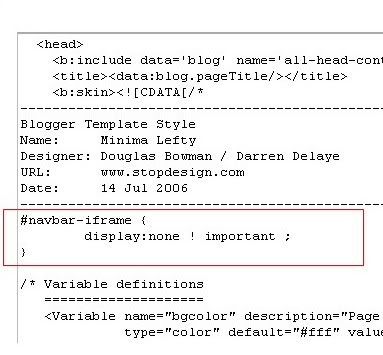
Learn how to hide,disable or remove the blogger navbar(navigation bar) from your blog.
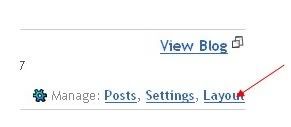
First,let us see what blogger navbar is:


#navbar {
    height: 0px;
    visibility: hidden;
    display: none;
}
If your blog want caried by google, you must doing several settings. This is how to setting your blog:
This post explains how to submit your blogger sitemap to Yahoo.By submitting your sitemap to yahoo, they will index your web pages in yahoo search engine and provide you with detailed information related to your blog like which pages are linking to yours,popular pages in your site and you can submit and track feeds for your sites.
Also,you have the choice to delete any urls of your blog if you won't want to index certain pages of your site.
Submitting your site to yahoo is easy and give your web pages more exposure.
All you need is a YAHOO ACCOUNT(ID).However,you don't need an yahoo ID to know the information like how many pages are indexed,etc.But,if your blog is a new one or no pages in your blog are indexed(type your blog url in yahoo search and see to check whether your web pages are indexed or not), then you want Yahoo id to submit your sites,feeds,etc.
Let't see how to make yahoo index your webpages by submitting your blog sitemap.
1.Go to Yahoo Site Explorer
2.Click on the 'Sign in' link which is at the top of the page,see the screenshot below(If you don't have a Yahoo id, you can get one here) and sign into your accoutnt.

3.Type your blog url in the box provided as shown in the below screenshot.Don't forget to replace the 'yourblogurl' with the original url of your blog and click on the 'Add My Site'
 4.After adding your site,you need to Authenticate(Verify your ownership).
 There are two ways to verify your ownership.One is to upload a file to the root directory of your site which can't be possible in blogger.
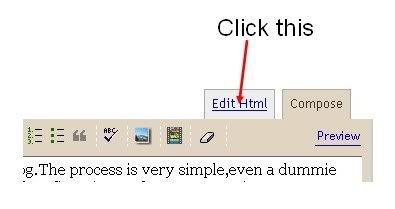
Another one is to 'adding a metatag' which is possible and the only way to verify ownership for bloggers.First,copy the metatag.. Next,sign in to your blogger account>Edit html and paste the metatag below the head tag and SAVE THE CHANGES,look at the screenshot below.
 Next,you will get a message saying that 'Your site is pending authentication'
Note:Don't remove the metatag,they will revalidate your ownership by checking your ownership regularly.
5.Next,go back to the 'Site explorer home', and check the box next to your blog url and click on the Manage button.


That's it.Now,you have sucessfully submitted your blog sitemap to yahoo.Check your account after a couple of days and you will see your blog indexed in yahoo search engine.
Meanwhile,if you didn't submitted your blog sitemap to google,please read this about How to Submit your blog sitemap to Google


5.Copy the metatag.
Now,sign into your blogger account>click the layout button>Edit html and paste the metatag just after the head tag and save the changes.
and click the verify button in the google webmaster tools and there will be a confirmation message saying that you have sucessfully verified.


or
 and click the 'Add General Web Sitemap' button.
6.That's it.Now your sitemap is successfully submitted to google.Check 2 or 3 days after and you will see the detailed statistics of your blog(indexed pages,any errors,etc.)
If you have any questions regarding this,you can ask here via your comments
This post explains how to increase your blog traffic by submitting your blog to different kinds of blog directories which rates,provide statistics about your blog and provide free traffic and maximum exposure to your blog.
Submitting your blog to these directories is a very good thing to do particularly if your blog is very new one with low traffic.
These blog directories have high pageranks than your blog(since your blog is a new one with pagerank Zero).So, if someone searches for a particular keyword,there is more possibility for the blog directory to appear in the results than yours.So,by adding your blog to these directories,the visitors enters these directories containing your articles(when they click the article,they enter your site) and also your blog posts will be indexed little faster.So,submitting your blog to these directories will gain you more traffic.
(If your blog is a new one,then put a visitors tracker button in your blog,sothat you will see how many visitors are coming from these directories,from search engines,visitors geolocation,etc).
Here are a few popular visitor tracker websites:
1.Histats(histats.com)
2.Sitemeter(sitemeter.com)
3.Statcounter(Statcounter.com)
So,let me come to the main topic...
Before submitting your blog to these blog directories,my personal suggestion is to create a new email address for this purpose so,your personal emails can't flooded with the emails from the blog directories administrators,etc.)Creating an email is free lol....creat one.
Many of these directories asks you to register before submitting blogs.
There are so many hundreds of blog directories,here is the list of very good popular directories which will send you maximum traffic.
LIST OF POPULAR BLOG DIRECTORIES:
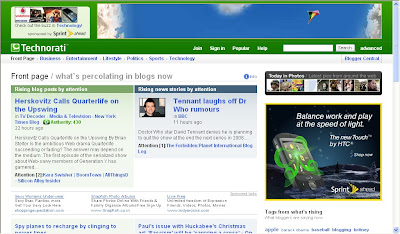
Technorati:Technorati is the largest blog(weblog) directory currently tracking more than 112.8 million blogs.Join technorati and verify your authorship,then you will be provided with detailed statistics regarding your blog,how many blogs are linking to your blog,(they call it 'authority').It is one of the best blog directory and will send tons of triffic if your blog is regularly updated.
Topblogarea:This is another big blog directory which rates and rank the blogs interms of Unique visitors your blog gets.They start the counting from Zero every week, so that even newly submitted blog can have the chance to rank higher in the list.
 Topblogging.com:This is another source of weblogs which also rank the blogs according to the unique hits they get.Nice blog resource,bring you lots of traffic to your blog.
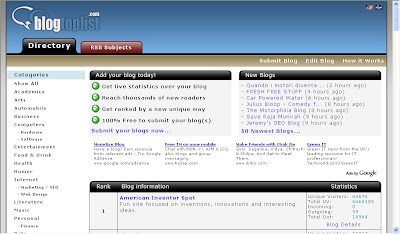
 Blogtoplist:Same here,they rank according to the unique hits you get.But,there is a little change, they will give you to place a voting button in your blog.If any visitor votes for your site from your blog,that is equal to 100 unique hits,but there is only one chance per visitor(one IP address) a day.
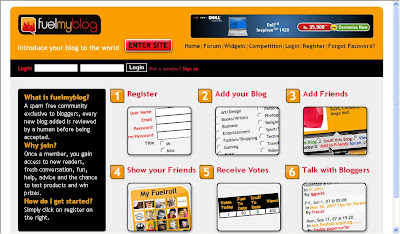
Fuelmyblog:This is a cool weblog resource which is different from the ones we discussed so far.You can vote to other blogs and others vote to you.They will keep the top six blogs(voted the most) on the homepage.You can join their forums, read other blogs content,joining in the compitetions and win prizes,etc.
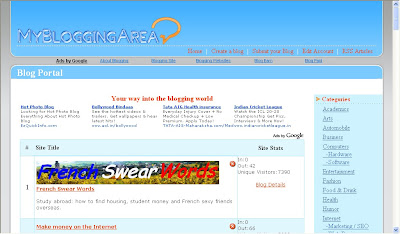
MyBloggingarea:This is a very good weblog directory which ranks the blogs accoring to the unique visitors they get,brought me so much traffic to my celebrity blog than all the other blog directories.I recommend this.
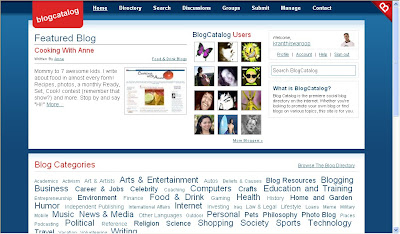
BlogCatalog:It is another good blogging resource,you can promote your blog here for FREE,find other blogs related to yours,etc.They have a special formula to rank the blogs,the more visitors,hits,comments,neighbourhood you get the more your rank will be.Another recommended one.You can join their forums,discussion board,groups,etc with other bloggers and share your thoughts.
BloggingFusion:It is a new one and not a very big one(around 950 blogs) at this time.But,it is a good one and doing pretty well.You can increase your blog exposure, worth a link to it.
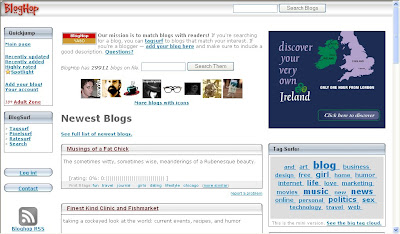
Bloghop:You can find blogs related to your blog topic here.Have a nice tracking button and currently having more than 29,000 blogs.
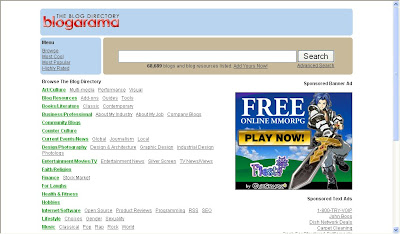
Blogarama:Cool weblog directory currently having more than 69,000 blogs.It will list the blogs in terms of the score your blog have.The score depends on so many things like incoming traffic,outgoing traffic,user ratings,etc. and if you send more traffic to they,they will list your blog in the top 100 blogs.
Topbloglists:Another blog directory which will rank your blog according to the unique hits your blog will get.


This post explains, how to embed(insert) a youtube video in your blogger blog:
So,you want to embed a video(movie) onto your blog.The process is very simple,even a dummie can do it.If you want to embed your original video,then first sign up for an account in youtube and upload your video and get the embed code.
Otherwise,you can easily embed any public youtube video in your blog.Go to youtube.com and search for the video.For example,if you want to embed a britney spears video,search it and copy the embed code on to a windows notepad or anything else.
The following process is explained below with pictures for easy understanding.
1.Go to youtube.com and search for your required video
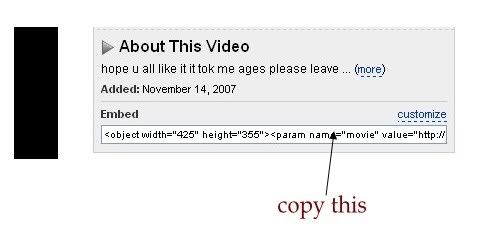
2.Copy the embeded code(ctrl+c) and paste(ctrl+v) it in windows notepad.


2.Click on the Edit link in the "Blog Posts' column[look at the below screenshot] ..............a pop up window opens..........
3.Check the box next to 'Show ads between Posts'
next,configure the ads,choose the format,colours,etc and SAVE THE CHANGES. That's it! Now your adsense ads will show between blog posts.
If you want to know how to add the adsense ads inside the blog post rather than between the post, follow this:-
Showing adsense ads inside Blogger blog Posts:-
1.Sign in to your blogger dashboard>layout>Edit html
Check the box next to 'Expand Widget Templates'
2.Scroll down the window till you see this code

3.Replace that code in the template with the below code
4.Again,scroll down the template and find out data-post body tag[look at the below screenshot] and paste the below code just above that code{this will show ads above the post body}.If you want ads to show below the post,paste the code below that tag.
Here is the code to paste:-
That's it!
Leave you comments if you like the post or if you have any questions doubts.
